Accounting, tax, bookkeeping & advisory practices

A clearer practice should not depend on people remembering what happens next.

Client information, documents, recurring services, deadlines, reviews and status often sit across several systems and personal workarounds. We help practices create a clearer operating structure around what already works—so the team can see what is pending, what is missing, who owns the next step and where attention is needed.
Existing systems reviewed first Working value shown early AI where it adds practical value Built for team ownership
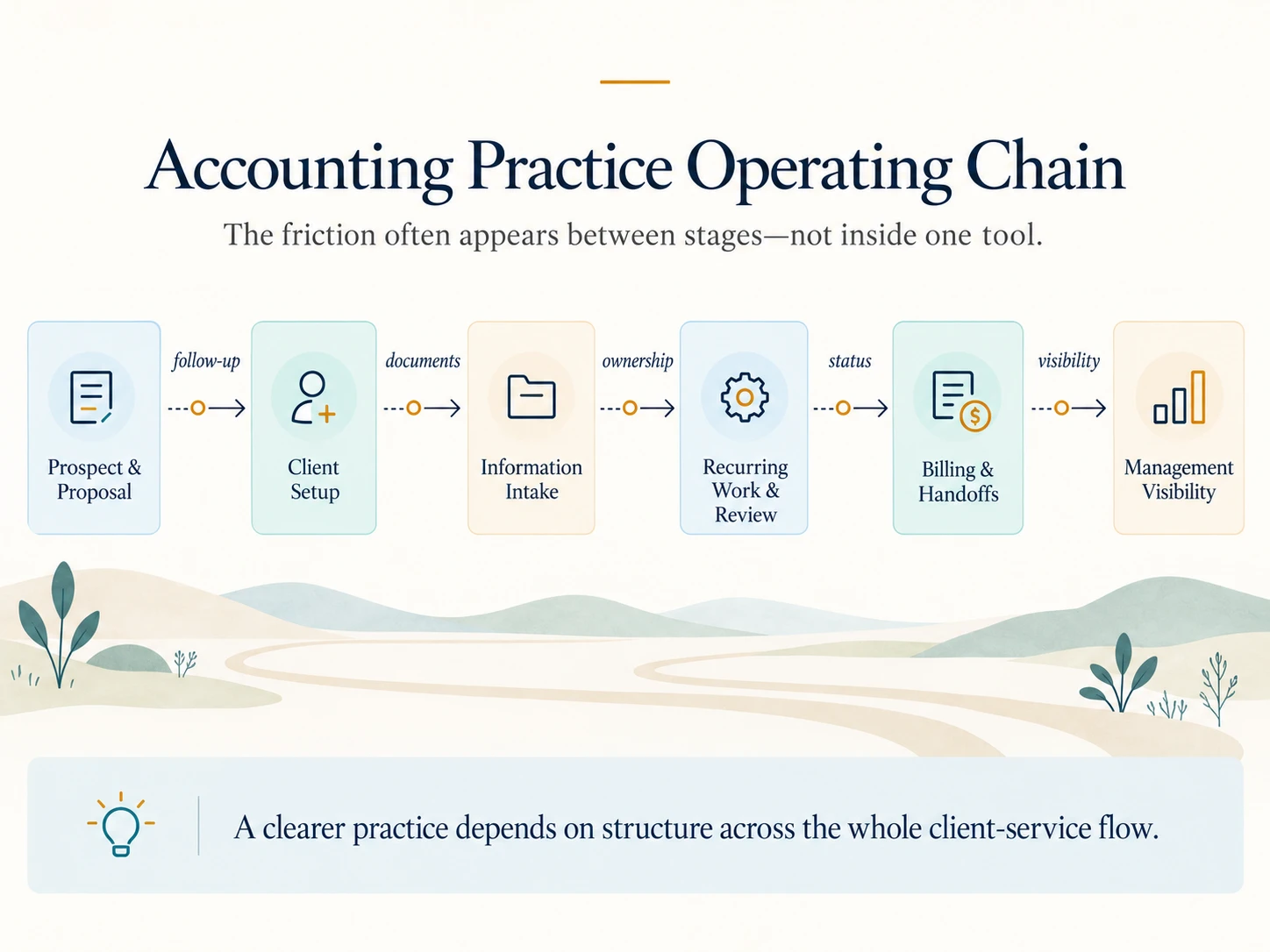
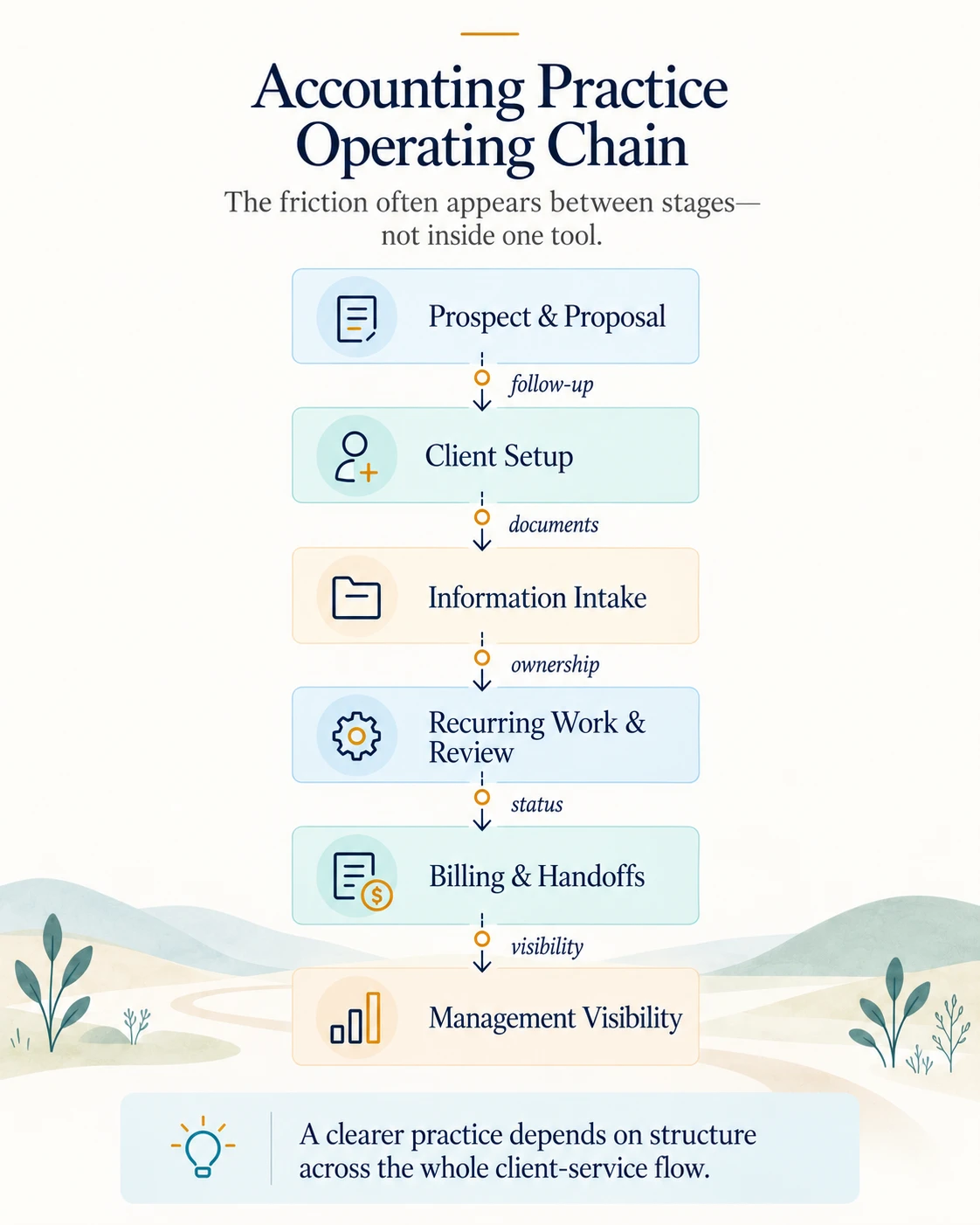
Accounting Practice Operating Chain Diagram Accounting Practice Operating Chain Mobile Diagram
Where the practice loses clarity

The work keeps moving—but people are carrying too much of the system.

Select any situations that feel familiar. The purpose is not to diagnose the practice on the spot, but to make the starting point easier to see.

Start here Choose any familiar situations. They may connect through information structure, work ownership, follow-up, handoffs or visibility.
The client-service operating chain

The friction often appears between stages—not inside one tool.

Explore a stage to see what commonly becomes difficult and what a clearer operating state may look like.

Stage 01

Prospect and proposal

The client journey often begins in a CRM, proposal tool, inbox or spreadsheet—but the approved engagement may not create a dependable operating record.

Common friction

Client and service details are entered again when the prospect becomes an active client. Important terms may remain in the proposal rather than the delivery workflow.

A clearer state

An approved proposal can support a controlled client and service setup while retaining the application that remains authoritative.

Likely capability path Connected Systems · Client Experience · Process Consulting
What we help improve

A connected response to the practice’s actual workflow.

The final scope depends on where the friction begins and which parts of the current environment already work reliably.

01

Client and service structure

Bring clients, services, periods, owners, responsibilities and relevant status into a clearer operating record.

Client context Service mapping Ownership
02

Document intake and control

Structure requests, submissions, missing-item status, access and document context so the team can find and trust the information. Where volume justifies it, AI-assisted classification or extraction can reduce routine handling while review responsibility remains clear.

Information requests Document structure Access
03

Recurring work, deadlines and reviews

Use agreed service rules to create work, assign ownership, support reviews and surface reminders or exceptions. AI can assist with summarisation or routine drafting where the source context and review path are controlled.

Recurring work Due dates Review queues
04

Connected client-to-billing handoffs

Improve movement between enquiry, proposal, client setup, delivery and billing without replacing systems that still perform their core role.

CRM handoffs Client setup Finance handoff
05

Operational and management visibility

Bring work status, delay, workload, client risk and service performance into practical views that lead to action. On dependable data, AI can help summarise exceptions or support questions without replacing the underlying source of truth.

Work status Capacity Client & service views Exceptions
Practical modernisation

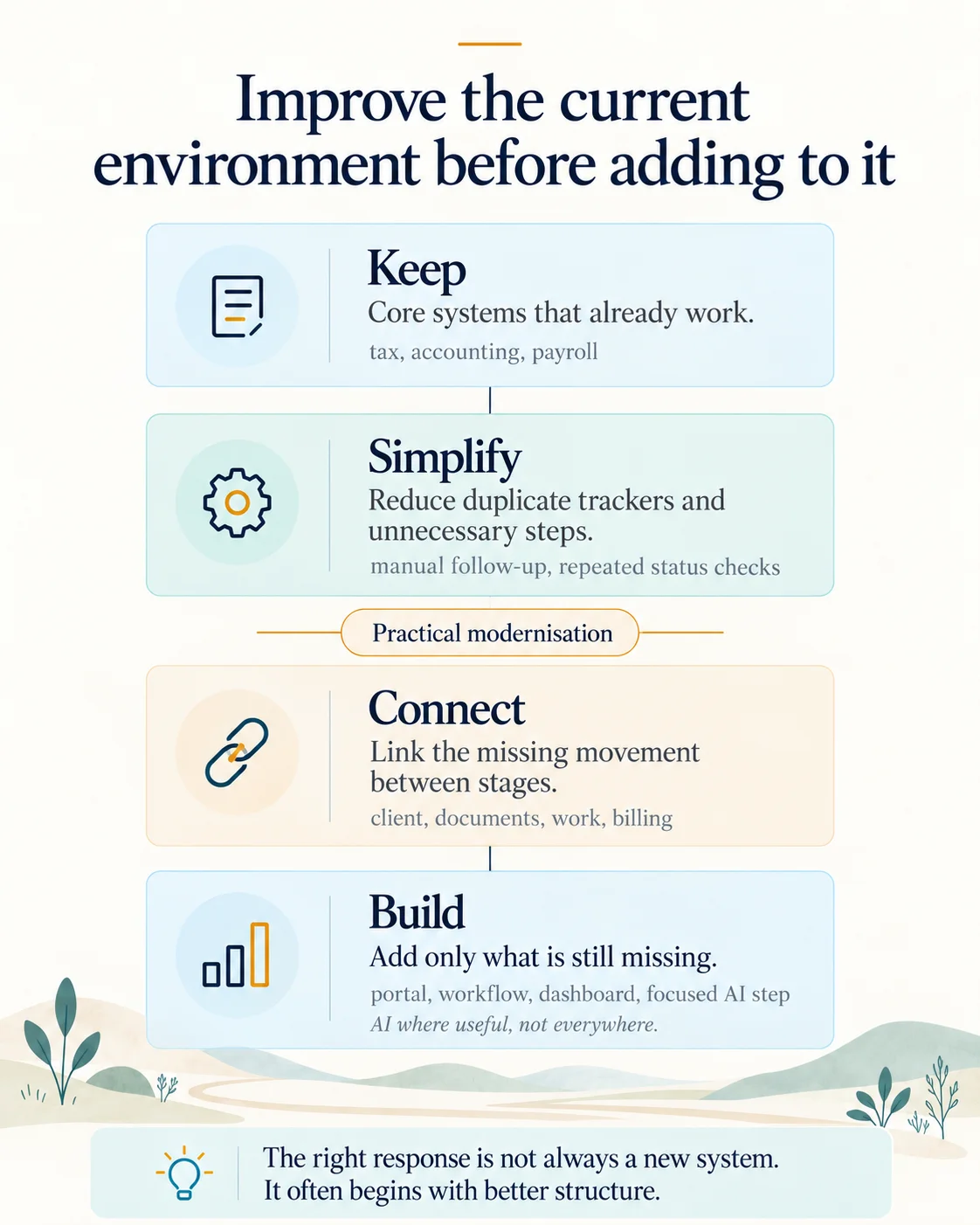
We improve the current environment before adding to it.

The accounting, tax, payroll, proposal or document applications already in use may still be the right specialist foundations. We focus on the operating gaps around them.
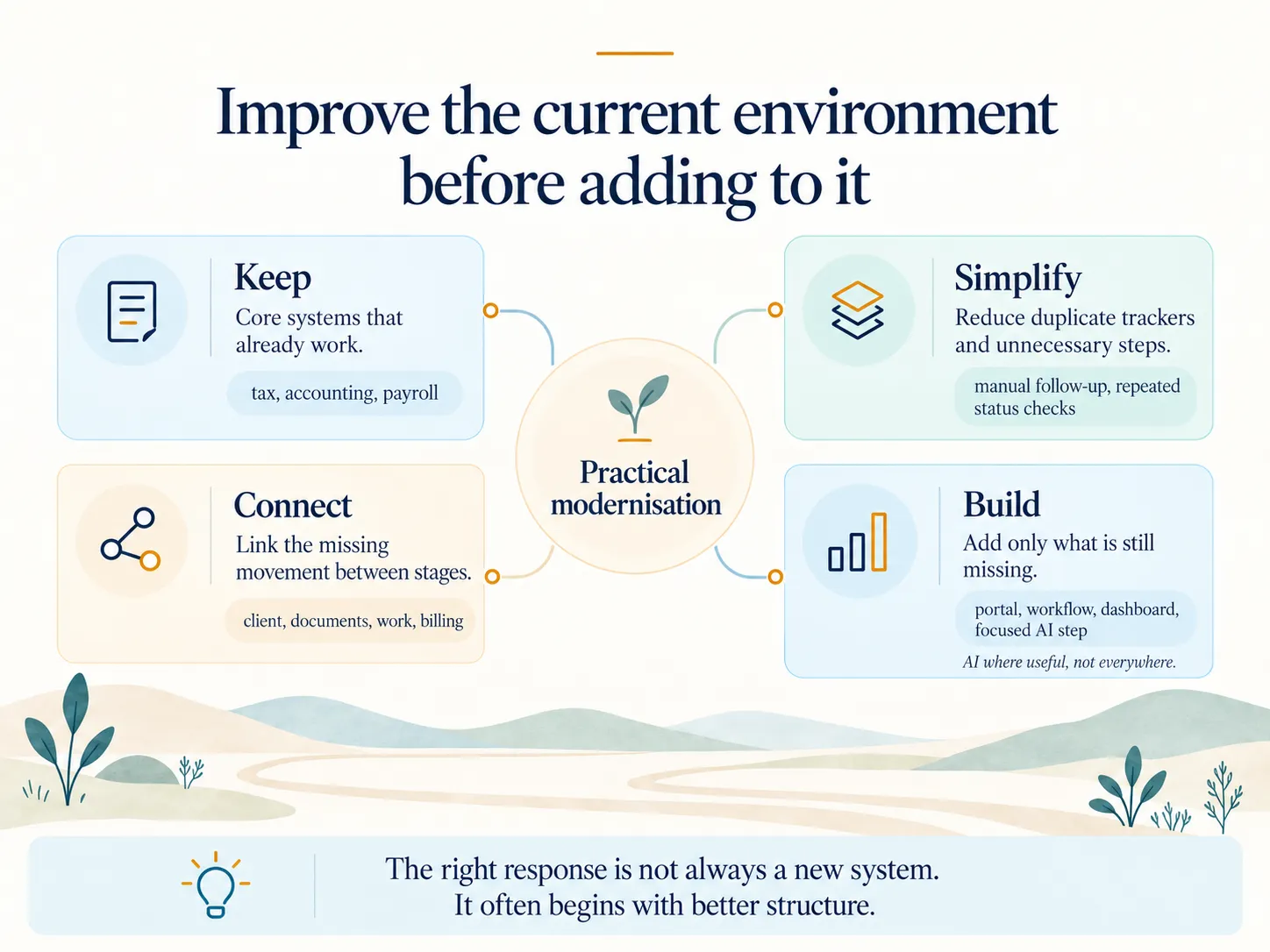
Improve the current environment before adding to it - Diagram Improve the current environment before adding to it - Mobile Diagram
Keep

Retain what performs its core role reliably.

Useful specialist systems do not need to be replaced merely because the wider workflow is disconnected.

Simplify

Remove duplicate tracking and unnecessary steps.

Clarify what genuinely needs to be recorded, reviewed and handed over before automating it.

Connect

Create the missing movement between stages.

Link relevant client, service, document, work and billing events while keeping system ownership clear.

Build

Add something new only where a real gap remains.

Custom or low-code components should justify their cost, complexity and long-term maintenance.

The current environment is the starting point. That may include Microsoft 365, Google Workspace, Zoho, QuickBooks, Xero, Tally, Ignition, HubSpot, specialist tax software, document platforms and existing spreadsheets. The final architecture depends on the practice—not a fixed product list.
What a clearer practice can look like

Less dependence on chasing. More confidence in the operating picture.

The aim is not to force the whole practice into one product. It is to make the important relationships between client, work, information, ownership and visibility easier to run.

01

Client context is easier to see.

The team can understand the relevant services, responsibilities and current position without rebuilding the picture from several places.

02

Recurring work has visible ownership.

Routine work is created, assigned and reviewed through a clearer structure instead of personal memory.

03

Document status is clearer.

Requested, received and missing information is easier to understand without repeated manual checking.

04

Handoffs need less chasing.

The next owner and expected action become more visible across preparation, review, client response and billing.

05

Management sees exceptions earlier.

Workload, delays and client or service risks can surface before status has to be rebuilt manually.

The result should be a clearer way of working that the practice can own and adapt.
Relevant proof

See what changed. Then inspect how the working system behaves.

Case Studies show the operating change. Solution Tours show the working patterns behind it.
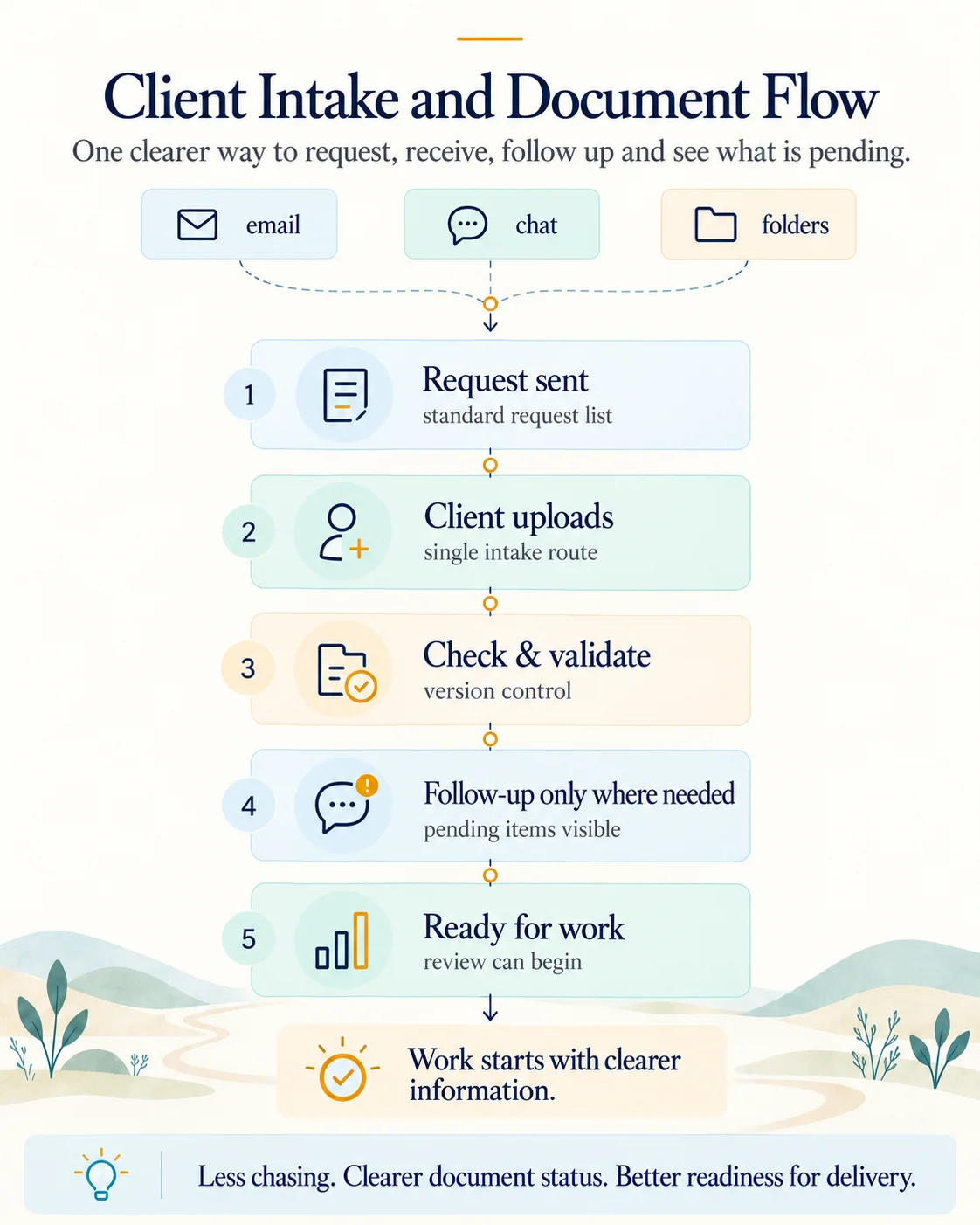
Client Intake and Document Flow Diagram Client Intake and Document Flow Mobile Diagram
Solution Tour

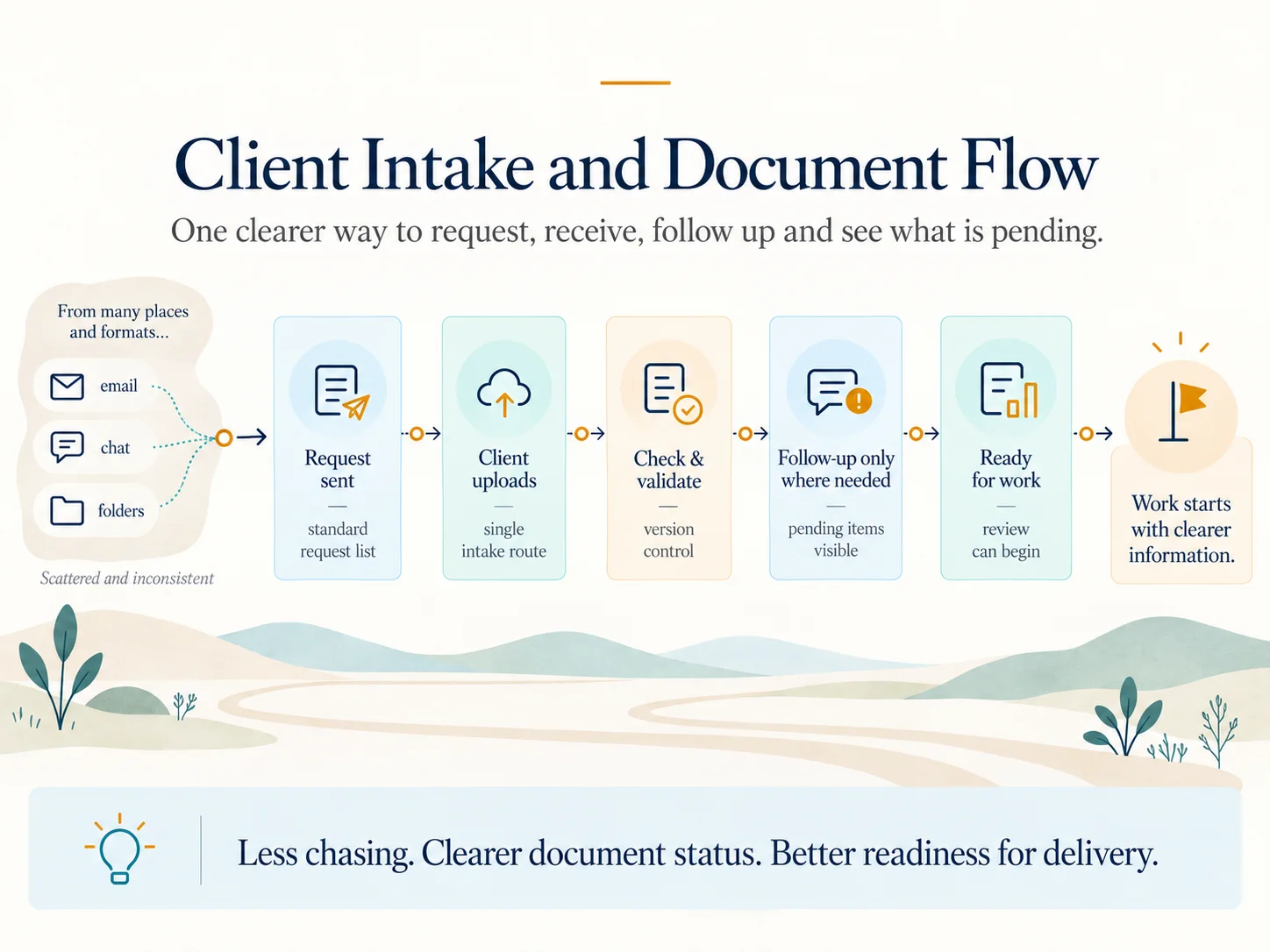
Client Intake and Document Flow

Explore structured requests, secure submission, received and missing-item status, reminders, internal review and request history.

Explore the Tour
Solution Tour

Operations Dashboard

See how a manager can move from overall work status into delayed items, workload, clients, services and the underlying record.

Explore the Tour
A practical fit

Relevant when the practice has outgrown personal coordination.

✓
Several tools hold different parts of the client picture.
✓
Recurring service work depends on manual creation, reminders or checking.
✓
Leadership wants clearer workload, deadline and client visibility.
✓
The practice wants to improve without replacing every existing system.
✓
There is an internal owner willing to shape and manage the result.
Scroll to Top